
Live Tracker Pakistan 2026 – Free SIM & CNIC Check | 100% Secure Details
SIM Live Tracker
Verified SIM & CNIC Data – Updated 2026
A Live Tracker in Pakistan helps you check SIM details in a safe and practical way. It is useful if you want to verify SIM owner details, check how many SIMs are linked to your CNIC, confirm a number’s network, or understand what kind of mobile number tracking is actually possible in Pakistan.
We cover the trusted options first, including 668, 667, and the official cnic.sims.pk SIM Information System. We also explain how checks work across Jazz, Zong, Telenor, Ufone, and SCOM.
What Is a Live Tracker in Pakistan?
In Pakistan, a Live Tracker is not just one tool. It is a broad term people use for SIM checks, CNIC-linked SIM audits, and number verification. Some users also use it for live Tracker phone location tracking.If you want to check how many SIMs are linked to your CNIC, you need a CNIC SIM audit. If you want to confirm a SIM’s network or ownership status, you need SIM verification or MNP-based checks. If you want to find your lost phone, you need GPS or device location tracking through your own Google or Apple account. That is why it helps to break Live Tracker into four simple parts.
1) SIM information lookup
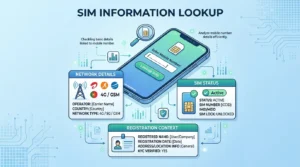
This means checking basic details linked to a mobile number or SIM. In most cases, users want to know the network, SIM status, or registration context of a number.
2) CNIC SIM audit
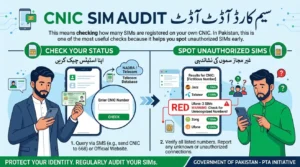
This means checking how many SIMs are registered on your own CNIC. In Pakistan, this is one of the most useful checks because it helps you spot unauthorized SIMs early.
3) MNP or SIM verification
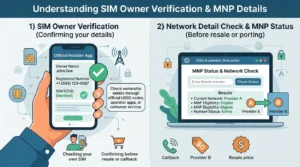
This means checking SIM ownership or network-related details through official telecom methods. It is useful when you want to verify a SIM you own or confirm a number before a resale or callback.
4) GPS location tracking
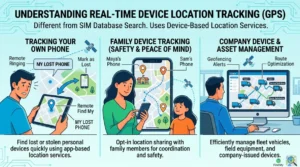
This is different from SIM verification. It helps you track your own phone, family device, or company device through location services like Google Find My Device or Apple Find My. It does not work the same way as a SIM database search.
What a Live Tracker can help you do
A Live Tracker can help you solve several real problems in Pakistan.You can use it to check SIM owner details for a SIM you physically own. You can use it to see how many SIMs are linked to your CNIC. You can also use it to spot unauthorized SIMs before they create trouble.
It can also help you understand the network or registration context of a number. That matters when you get a suspicious call, buy a used phone, or want to verify a number before calling back.If your goal is device safety, a Live Tracker can also point you to the right tool for real-time phone tracking. In that case, the right solution is not a SIM lookup.
What a Live Tracker cannot legally do
A Live Tracker also has clear limits.It cannot legally reveal another person’s full private CNIC, full address, or personal identity data without proper authorization. It cannot show call history. It cannot provide an official real-time location of someone else’s phone just from their number
.It also cannot bypass PTA or NADRA privacy controls.This matters because many users mix up SIM verification with live surveillance. They are not the same thing. Official tools help you verify your own SIM records, audit your CNIC, and report misuse. They do not give open access to someone else’s private data.
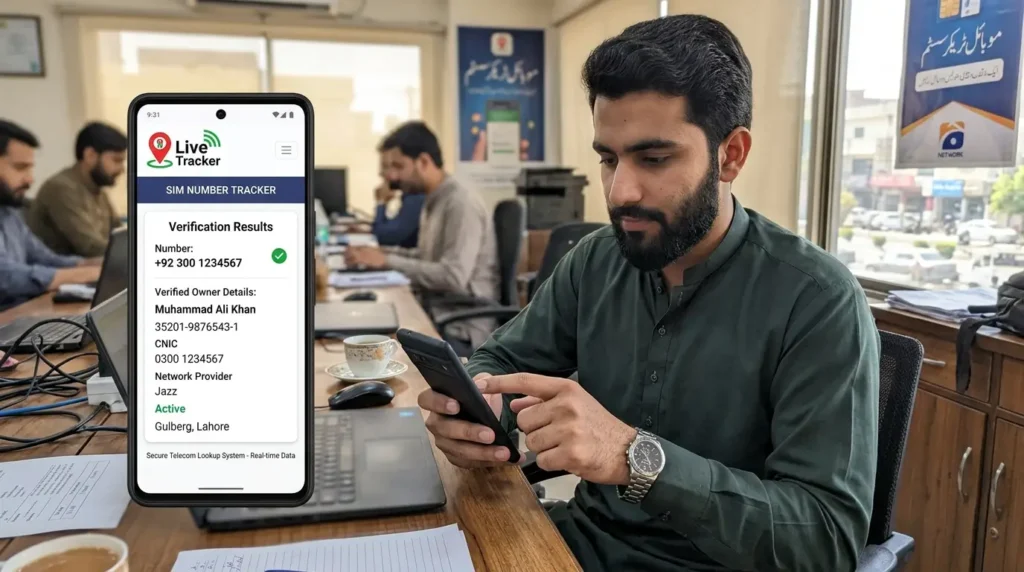
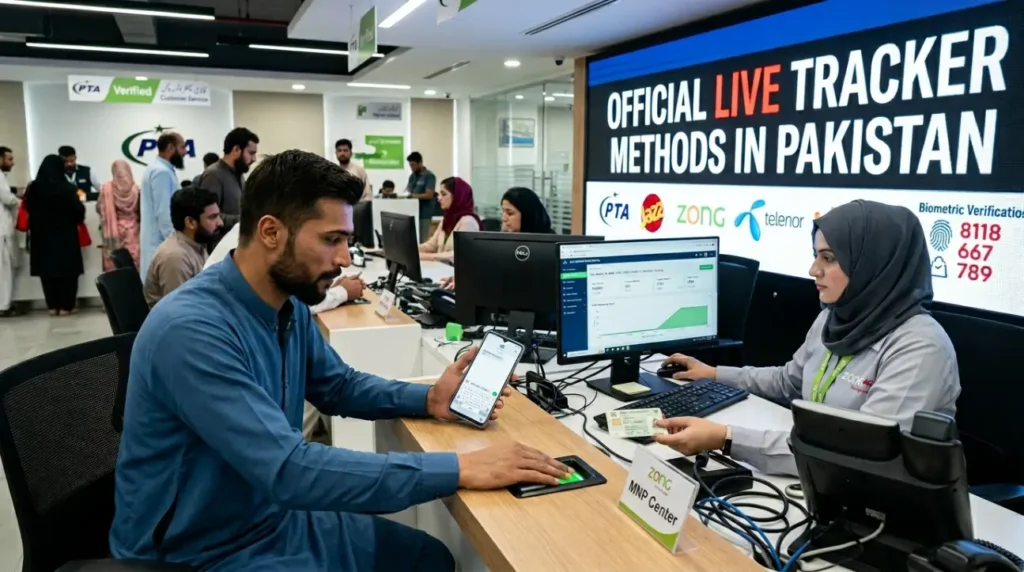
How to Use Live Tracker in Pakistan — Fastest official methods
If you want to use a Live Tracker in Pakistan, start with the method that matches your goal. Some tools check SIMs on your CNIC. Some verify the SIM in your phone. Others help you find your own lost device.
| Method | What it checks | Best for | Time | Cost | Official or not |
|---|---|---|---|---|---|
| SMS CNIC to 668 | Total SIM count registered on your CNIC, broken down by operator | Monthly CNIC audit and spotting unauthorized SIMs | Usually a few seconds | Usually standard SMS charges may apply | Official |
| SMS MNP to 667 | Ownership and network details for the SIM currently in your phone | Verifying a SIM you physically own before use, resale, or complaint | Usually a few seconds | Usually standard SMS charges may apply | Official |
| cnic.sims.pk | CNIC-based SIM audit through PTA’s online portal | Checking all SIMs linked to your CNIC in one place | 1–2 minutes | Free | Official |
| Operator app, helpline, or franchise | SIM registration status, ownership help, biometric issues, and complaint support | Fixing mismatched records, disowning SIMs, and getting network-specific help | A few minutes to same day | Usually free | Official |
| Google Find My Device / Apple Find My | Real-time location of your own device linked to your account | Lost phone tracking, family device checks, and personal device recovery | live Tracker or near real time | Free | Official |
| Number network check tools | Current mobile network of a number | Checking whether a number is on Jazz, Zong, Telenor, Ufone, or SCOM | A few seconds | Varies by method | Depends on the tool |
Which method should you use first?
Use 668 if you want to know how many SIMs sit on your CNIC.
Use 667 if you want to verify the SIM inside your own phone.
Use cnic.sims.pk if you want a full CNIC-based SIM audit online.
Use your operator’s app, helpline, or franchise if you need to fix a problem.
Use Google Find My Device or Apple Find My if your goal is live Tracker phone location, not SIM ownership.
This matters because SIM verification and device tracking are not the same thing. One checks registration records. The other helps you locate a device you already control.
How to Check SIM Owner Details in Pakistan
When people search SIM Owner Details in Pakistan, they usually want to verify who a SIM belongs to and whether it is properly registered.
In practical terms, SIM owner details can include:
- the registered name linked to the SIM
- a masked CNIC or identity linkage in official workflows
- the network operator, such as Jazz, Zong, Telenor, Ufone, or SCOM
- the registration or activation status of the SIM
- the biometric verification status, if the operator checks it during a complaint, ownership change, or re-verification process
Users search for SIM owner details for simple reasons. They want to verify a number before calling back. They want to check a SIM before buying a used phone. They want to audit their own CNIC. They also want to spot unauthorized SIMs before fraud or misuse causes damage.
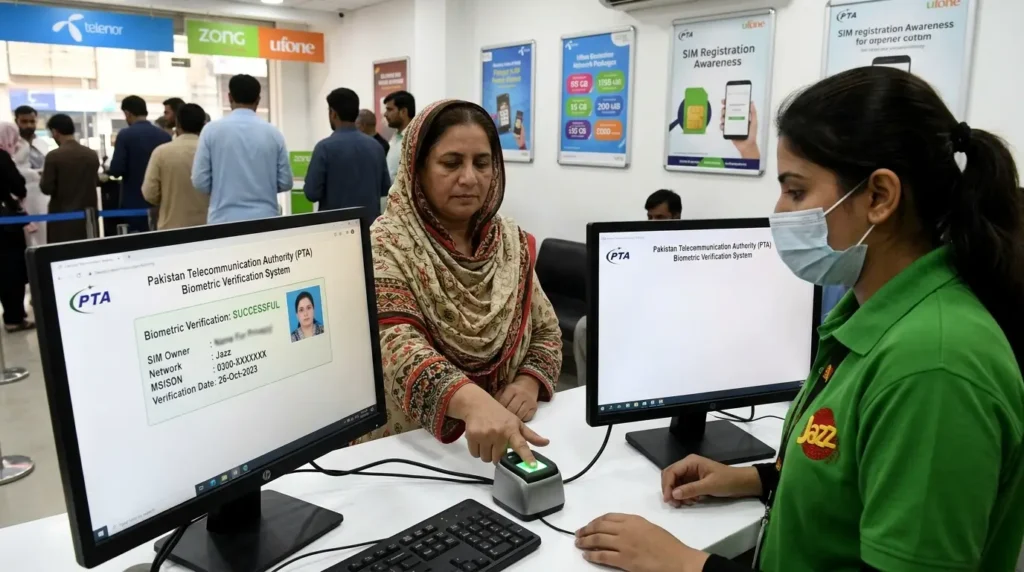
Method 1 — Check SIM owner details through official MNP or SIM verification
If the SIM is in your own phone, the quickest official method is MNP verification through 667.
Here is the basic process:
- Open your phone’s Messages app.
- Type MNP.
- Send it to 667 from the SIM you want to verify.
- Wait for the reply SMS.
The reply usually gives network-related and ownership-related details for the SIM currently in your phone. Depending on the operator workflow, it may help confirm the registered name, network, and other SIM registration context.
This method works best when:
- the SIM is physically in your phone
- you want to verify your own SIM
- you are checking a SIM before resale, transfer, or complaint
- you want a quick ownership check without visiting a franchise
This method has limits too.
It does not work as a public search tool for any random number. It does not give open access to someone else’s private records. It also does not replace a full CNIC SIM audit.
Method 2 — Check SIMs registered on your CNIC through 668
If your main goal is to see how many SIMs are linked to your CNIC, use 668.
Here is how it works:
- Open your phone’s Messages app.
- Type your 13-digit CNIC number without dashes.
- Send it to 668.
- Wait for the response.
The reply shows the total SIM count on your CNIC, usually broken down by operator. This helps you see how many SIMs are linked to Jazz, Zong, Telenor, Ufone, and other networks under your identity.
This is one of the most important SIM safety habits in Pakistan.
Why? Because it helps you catch unauthorized SIMs early. If the count looks higher than expected, you can act before the issue grows into fraud, spam, or legal trouble. A quick monthly check can save you a lot of stress later.
Method 3 — Use cnic.sims.pk for CNIC verification online
If you prefer a web-based check, use cnic.sims.pk, the official SIM Information System.
Here is the step-by-step process:
- Open cnic.sims.pk in your browser.
- Enter your 13-digit CNIC number in the CNIC field.
- Complete the CAPTCHA verification.
- Click Submit.
- Review the result shown on the screen.
The portal shows the total number of SIMs registered on your CNIC and the operator-wise breakdown. It is useful when you want a cleaner online record before taking the next step.
Use it before visiting a franchise if:
- your 668 result looks suspicious
- you need a second check before filing a complaint
- you want to confirm the operator where an unknown SIM count appears
- you plan to request SIM disowning or record correction
Method 4 — Visit the operator franchise
Sometimes SMS and online checks are not enough. In those cases, visit the official franchise or service center of the relevant operator.
A franchise visit is necessary when:
- an unauthorized SIM appears on your CNIC
- you need SIM disowning
- you want to change SIM ownership
- biometric verification fails
- you need help with a blocked, disputed, or mismatched SIM record
Take these items with you:
- your original CNIC
- the SIM if it is in your possession
- screenshots or printouts of your 668 or cnic.sims.pk result
- any complaint reference number, if you already contacted the operator
When you reach the franchise, be direct. Ask for one of these:
- SIM disowning for an unauthorized SIM
- SIM record verification
- ownership verification for the SIM on my CNIC
- biometric re-verification support
That makes the process faster and reduces confusion at the desk.
Can you check someone else’s SIM owner details by number?
This is where users need a clear and honest answer.
Official public tools in Pakistan do not give open access to another person’s full private SIM records. You cannot legally use a public PTA method to pull someone’s full CNIC, full address, or personal profile just from a mobile number.
What is officially possible?
- You can check SIMs linked to your own CNIC
- You can verify the SIM in your own phone
- You can visit a franchise for help with your own records
- You can report suspicious or unauthorized SIM activity tied to your identity
What is often claimed online is different.
Many third-party pages promise instant access to someone else’s SIM owner details, full CNIC, or address by number alone. Treat those claims carefully. Some sites may rely on outdated data, incomplete records, or privacy-invasive sources. Others may simply overpromise to attract clicks.
So if your goal is trust, safety, and accurate results, stick to official SIM verification methods first. Use third-party claims with caution, and never assume they reflect current PTA or operator records.
CNIC Verification Online in Pakistan
In Pakistan, CNIC verification online can mean a few different things. That is why users often get confused.The first meaning is a SIM audit on your CNIC. This tells you how many SIMs are registered under your ID card.The second meaning is CNIC record confirmation in a telecom context. This helps you confirm that your SIM record matches your identity.The third meaning is biometric SIM registration status. This matters if a SIM needs re-verification or has a registration problem.The fourth meaning is unauthorized SIM detection. This is the most urgent use case. It helps you spot unknown SIMs linked to your CNIC before they cause fraud or legal trouble.So when we talk about CNIC verification online on this page, we mainly mean one thing: checking SIM records linked to your CNIC through official telecom methods.
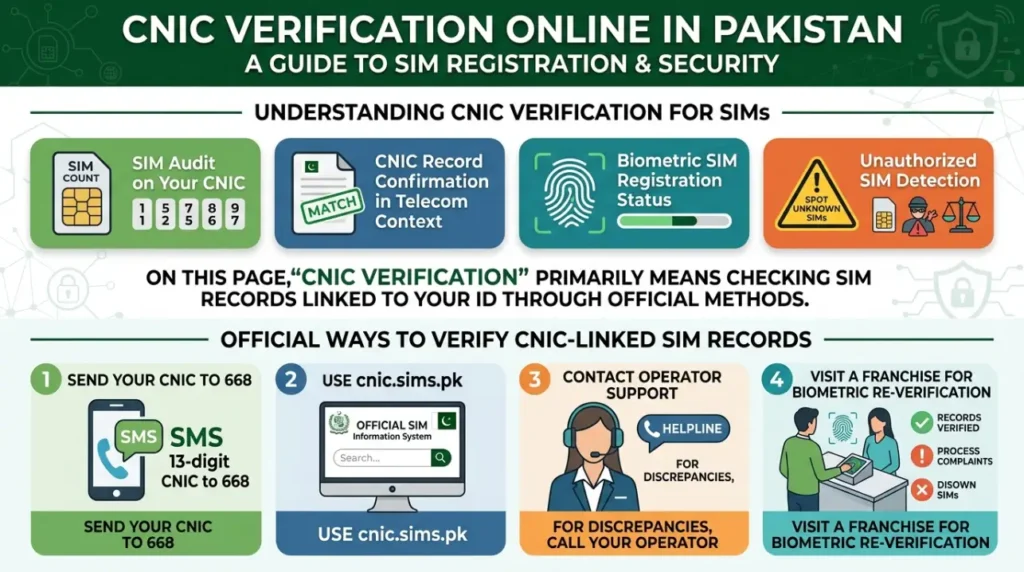
Official ways to verify CNIC-linked SIM records
If you want to verify SIM records linked to your CNIC, use official methods first. They are faster, safer, and more reliable.
1) Send your CNIC to 668
This is the quickest way to check the total number of SIMs registered on your CNIC. You send your 13-digit CNIC by SMS and receive an operator-wise SIM count.
2) Use cnic.sims.pk
This is the official SIM Information System. It gives you an online CNIC-based SIM audit without visiting a franchise.
3) Contact operator support
If your SIM count looks wrong, call the relevant operator. The helpline can guide you to the next step and confirm whether you need a franchise visit.
4) Visit a franchise for biometric re-verification
If a SIM appears on your CNIC without your knowledge, a franchise visit becomes important. The operator can verify records, process complaints, and guide you through SIM disowning or biometric correction.
How to check how many SIMs are registered on your CNIC
The fastest check is 668. The more detailed online check is cnic.sims.pk. Use both if something looks wrong.
Method A — Check through 668
- Open the Messages app on your phone.
- Type your 13-digit CNIC number without dashes.
- Send it to 668.
- Wait for the reply.
- Review the operator-wise SIM count.
This reply helps you see whether your CNIC has SIMs on Jazz, Zong, Telenor, Ufone, or SCOM.
Method B — Check through cnic.sims.pk
- Open cnic.sims.pk in your browser.
- Enter your 13-digit CNIC number.
- Complete the CAPTCHA.
- Click Submit.
- Review the SIM count shown on the screen.
This portal is useful when you want a cleaner online record before contacting an operator.
Screenshot flow for users
If you want to show the process visually on the page, use a simple three-step screenshot flow:
Screenshot 1 — CNIC entry page
Show the CNIC field and CAPTCHA box on cnic.sims.pk.
Screenshot 2 — SIM count result
Show the operator-wise breakdown after the user submits the CNIC.
Screenshot 3 — next-step action
Show a short callout under the result:
- Count is correct → no action needed
- Count looks wrong → contact the operator or visit a franchise
What to do if the SIM count is wrong
Do not ignore a mismatch.
If the result shows more SIMs than expected, take action the same day. Start by noting which operator shows the unexpected count. Then contact that operator’s helpline and explain that you may have an unauthorized SIM on your CNIC.
If the issue is still unclear, visit the operator’s official franchise with:
- your original CNIC
- screenshots of the 668 or cnic.sims.pk result
- any complaint reference number you already received
Ask the staff to verify all SIMs linked to your CNIC for that operator. If a number does not belong to you, request SIM disowning or a formal complaint process.
What to do if an unknown SIM appears on your CNIC
If an unknown SIM appears on your CNIC, act fast. Do not wait for a bigger problem.
Immediate action workflow
- Take a screenshot of the result from 668 or cnic.sims.pk.
- Note the operator linked to the unknown SIM count.
- Call the operator helpline and report a suspected unauthorized SIM.
- Visit the operator franchise with your original CNIC.
- Ask for SIM record verification and SIM disowning if needed.
- Keep the complaint reference number.
- Recheck your CNIC after the operator processes the request.
Contact the operator helpline first
The helpline can confirm the next step and tell you which franchise or service center to visit. This saves time if the issue needs biometric verification or a formal complaint.
Visit the franchise if the issue is serious
Go to the franchise if:
- the unknown SIM count does not match your records
- the helpline asks for biometric verification
- you need to block or disown a SIM
- the operator needs identity confirmation before making changes
Follow the complaint process properly
Ask for:
- record verification
- unauthorized SIM complaint
- SIM disowning request
- complaint reference number
Write down the date, staff name, and complaint number. This helps if you need to follow up later.
Recheck after the complaint
Do one more 668 or cnic.sims.pk check after the operator says the issue is resolved. This final check confirms that the unauthorized SIM is no longer linked to your CNIC.
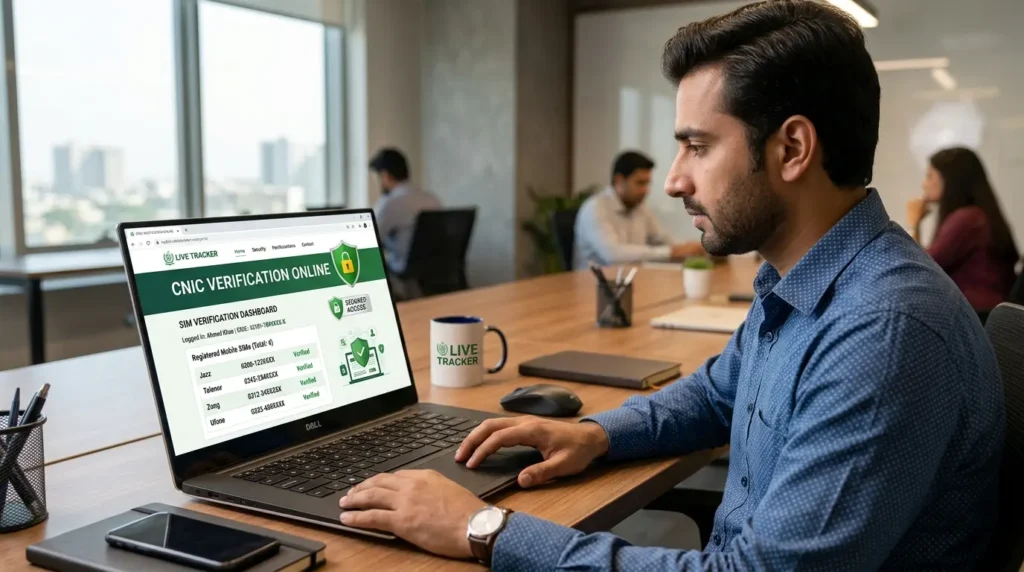

Track Mobile Number Pakistan — What Is Actually Possible?
The phrase “track mobile number Pakistan” sounds simple, but users often mean very different things. Some want to know which network a number belongs to. Others want to verify a SIM, find a lost phone, or deal with spam calls. The right method depends on the goal.
“Track mobile number Pakistan” can mean 4 different things
In Pakistan, this keyword usually points to one of these tasks:
1) Check which network a number belongs to
Users often want to know if a number is on Jazz, Zong, Telenor, Ufone, or SCOM. This can help before calling back, recharging a number, or checking a resale SIM.
2) Verify SIM registration context or owner status
Some users want to confirm whether a SIM is linked to their own CNIC or whether the SIM in their phone is registered correctly.
3) Track your own phone or device location
This is a different use case. Here, the goal is to find a lost phone, track a family device with consent, or monitor a company phone you manage.
4) Investigate spam, fraud, or harassment calls
Users also search this keyword after missed calls, scam messages, or suspicious numbers. In that case, the goal is not live Tracker GPS tracking. It is a safer identity and risk check.
How to check the network or number status
If your goal is to identify the network behind a number, start with the basics. But do not rely on prefixes alone.
Use prefixes as a rough clue
Mobile prefixes can still suggest a network. For example, some number ranges started with Jazz, Zong, Telenor, or Ufone. But this method is no longer fully reliable.
Understand MNP limitations
Pakistan supports Mobile Number Portability (MNP). That means a number can move from one operator to another while keeping the same digits. So an old prefix may no longer match the current network.
This is why a number that looks like Jazz may now run on Zong, or a Telenor prefix may now sit on Ufone.
Use operator tools when possible
If you need a more reliable answer, use an official operator tool, helpline, or SIM verification method. If the SIM is in your own phone, MNP to 667 can help verify the SIM’s current registration context.
The key point is simple: prefixes are a hint, not proof.
How to track your own phone in real time
If your goal is real-time location, do not use SIM lookup methods. Use the tracking tools built for your own device.
Use Google Find My Device
If you use Android, Google Find My Device can help you locate a lost phone, ring it, lock it, or erase it remotely. It works best when the phone is linked to your Google account and location services are active.
Use Apple Find My
If you use an iPhone, Apple Find My can help you locate your iPhone, iPad, Mac, AirPods, or other supported devices. It can also help with family location sharing when everyone agrees to it.
Keep location services turned on
Real-time tracking depends on location services, account access, and device connectivity. If location is off, the result may be delayed or limited.
Use it for the right reasons
These tools are useful for:
- a lost phone
- a family device with consent
- a child’s phone with family approval
- a work device managed by the company
- a phone you own and control
Can you track another person’s live location by mobile number?
This is where many pages make risky claims. So let’s keep it clear.
No public PTA tool lets you track another person’s live Tracker location just by entering their mobile number.Official public telecom tools in Pakistan are built for SIM verification, CNIC SIM audits, and ownership-related checks. They are not public surveillance tools.
So if a website claims:
- “track any number live on map”
- “see someone’s exact location from phone number only”
- “get live Tracker GPS with no app, no consent, and no account access”
treat that claim with caution.
Why these claims are risky
Most “live Tracker GPS by number only” promises fall into one of three patterns:
- Fake tracking pages that only collect clicks or ad revenue
- Lead forms that ask for your number, email, or payment without giving real results
- Outdated database pages that mix old telecom records with exaggerated tracking claims
A mobile number alone does not give you public access to someone’s real-time GPS location through official PTA channels.
How to handle spam or suspicious calls safely
If a number looks suspicious, do not rush to call back. Use a simple safety process instead.
1) Check if the number is already known
Ask yourself:
- Is this my own number or a family number?
- Did I recently buy a used SIM or used phone?
- Could this be a delivery rider, bank callback, or service contact?
2) Do not call back blindly
If the call looks suspicious, avoid calling back right away. Some fraud attempts rely on panic, confusion, or repeated callbacks.
3) Save evidence
Take screenshots of:
- missed calls
- SMS messages
- WhatsApp messages
- payment requests
- threats or abusive content
This helps if the issue turns into fraud or harassment.
4) Verify your own SIM records
If the problem feels serious, check your own records first:
- send your CNIC to 668
- review cnic.sims.pk
- verify the SIM in your own phone if needed
This helps rule out unauthorized SIM misuse under your identity.
5) Contact the operator or relevant authority
If the number is linked to fraud, harassment, or repeated abuse, contact the operator and keep your complaint record. If the case becomes serious, use the proper legal reporting route and share the evidence you collected.
The safest approach is simple. Use official verification tools for your own SIM records. Use Google or Apple for your own device location. Be careful with sites that promise secret live Tracker from a number alone.
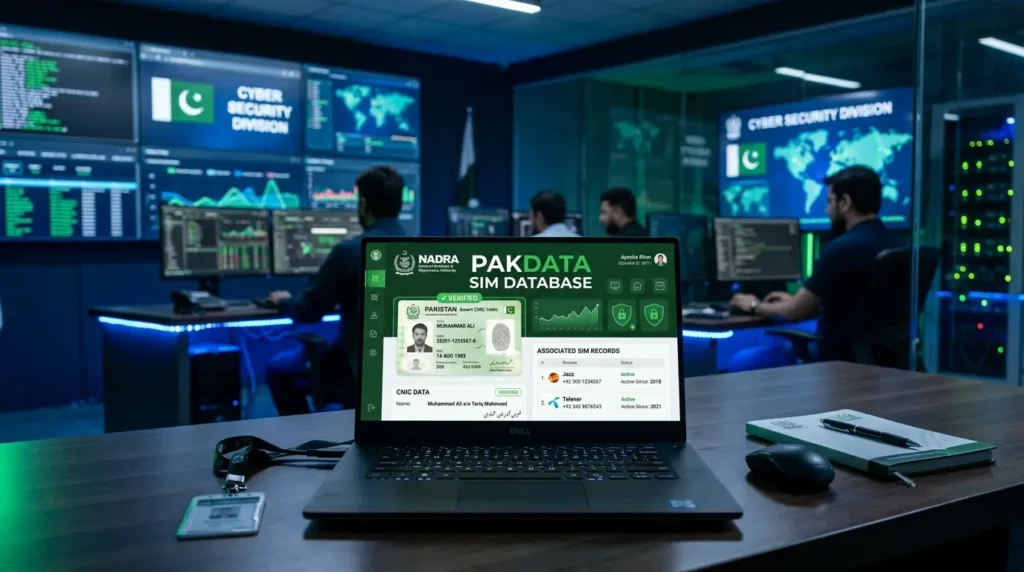
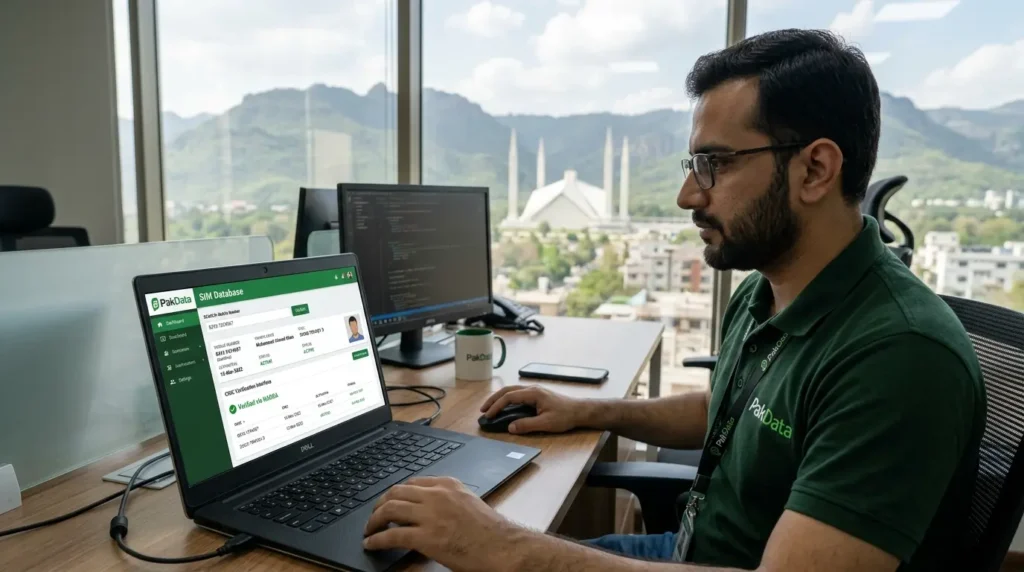
PakData SIM Database — What It Is, What Users Mean by It, and What to Know Before Using It
The term PakData SIM Database shows up a lot in Pakistan search results. But it does not point to one official PTA product. In most cases, it is a broad search term people use for SIM lookup sites, number databases, and owner-detail tools.
That is why this keyword needs a careful explanation.
What “PakData SIM Database” usually refers to
When users search PakData SIM Database, they are usually looking for one of these things:
- a SIM record lookup tool
- a mobile number database
- an owner detail search site
- a number information portal
- a way to check whether a number looks suspicious
- a way to verify SIMs linked to their own CNIC
In other words, “PakData” often works like a search intent label, not a formal government system name.
Some pages use it to describe SIM owner detail tools. Some use it for mobile number search portals. Others use it for broad “live tracker” style pages that mix CNIC checks, number checks, and network lookups into one place.
Official SIM data vs unofficial databases
Not all SIM data sources work the same way. Some methods are official and tied to PTA or operator systems. Others are third-party pages with unclear data sources.
Here is the practical difference:
| Topic | Official PTA / operator methods | Unofficial “PakData” style sites |
|---|---|---|
| Legality | Higher. These methods sit inside official telecom workflows. | Uncertain or risky. The source and permission model may be unclear. |
| Freshness | Better. Data comes from current operator or SIM registry systems. | Often unknown. Some sites may use old or incomplete records. |
| Privacy | Regulated by telecom and identity rules. | Unclear. You may not know how the data was collected. |
| Owner detail access | Limited to lawful checks, your own CNIC records, or SIM-in-hand verification. | Often overclaimed. Some pages promise more than they can prove. |
| Trust | High when you use PTA, cnic.sims.pk, or operator channels. | Variable. Some pages may be helpful, but many are hard to verify. |
| Use case | Self-verification, SIM audit, complaints, record correction. | Should be approached carefully, especially for identity claims. |
This difference matters because official SIM checks are designed to protect your identity. Third-party pages may not follow the same rules.
When users search “PakData SIM Database”
Users search this keyword for several reasons. The intent is usually practical, not technical.
1) Identify an unknown caller
A user gets a missed call and wants to know whether the number looks familiar, risky, or linked to a known network.
2) Check if a number is suspicious
Some users search after scam calls, fake bank messages, or harassment attempts. They want a safer way to understand the number before they respond.
3) Verify their own SIM records
This is one of the most useful reasons. Users want to check SIMs on their CNIC, confirm the SIM in their phone, or spot unauthorized numbers.
4) Find old number details
Sometimes users are trying to reconnect a past number, verify an old SIM, or understand a record linked to a previous mobile account.
5) Check if a SIM is linked to their CNIC
This is where official methods matter most. If the goal is CNIC-linked SIM verification, PTA and operator tools are the safer route.
Safer alternatives to PakData-style lookup
If your goal is accuracy, safety, and legal verification, start with official methods first.
Use 668 for a quick CNIC SIM audit
Send your 13-digit CNIC to 668. The reply shows how many SIMs are registered on your CNIC, broken down by operator.
Use cnic.sims.pk for a full online SIM check
Open cnic.sims.pk and enter your CNIC. This is the official online SIM Information System for checking CNIC-linked SIM records.
Visit the operator franchise for record correction
Go to the official franchise if:
- an unknown SIM appears on your CNIC
- you need SIM disowning
- you need ownership correction
- a biometric issue blocks your SIM
Call the operator helpline
Use the helpline when the count looks wrong or when you need guidance before visiting a franchise.
Use MNP or the operator app for your own SIM
If the SIM is in your phone, MNP to 667 or the operator’s app can help verify the SIM’s current registration context.
Use Google Find My Device for your own phone location
If your goal is to find a lost phone, use Google Find My Device or Apple Find My. These tools are for device location, not SIM owner lookup.
The smart way to use this keyword
Think of PakData SIM Database as a user search phrase, not a trust signal by itself.
If your goal is:
- SIMs on your CNIC → use 668 or cnic.sims.pk
- the SIM in your own phone → use 667 or operator support
- an unauthorized SIM complaint → contact the operator and visit the franchise
- your own lost phone → use Google Find My Device or Apple Find My
That approach gives you safer results and keeps you inside official verification paths.
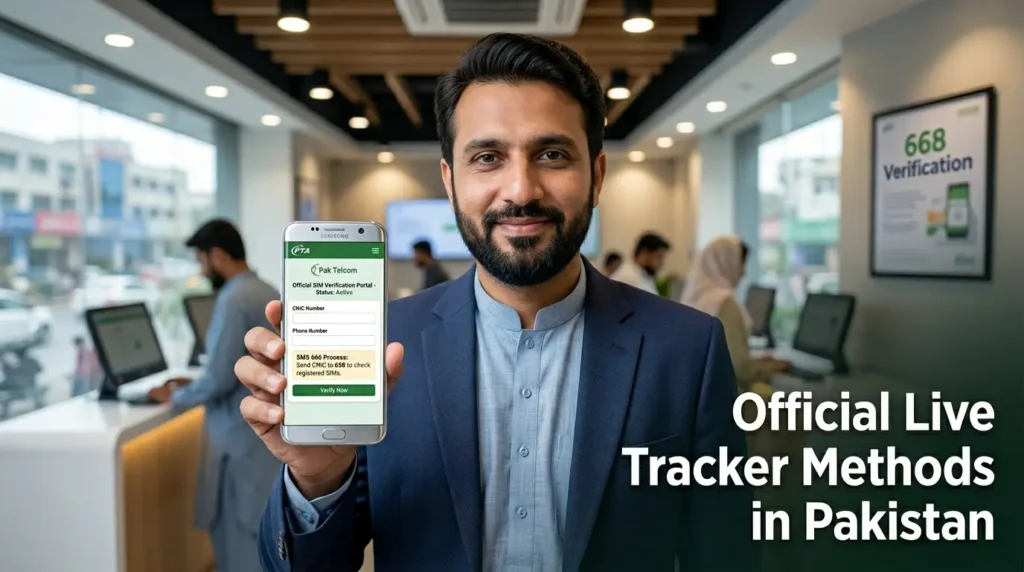
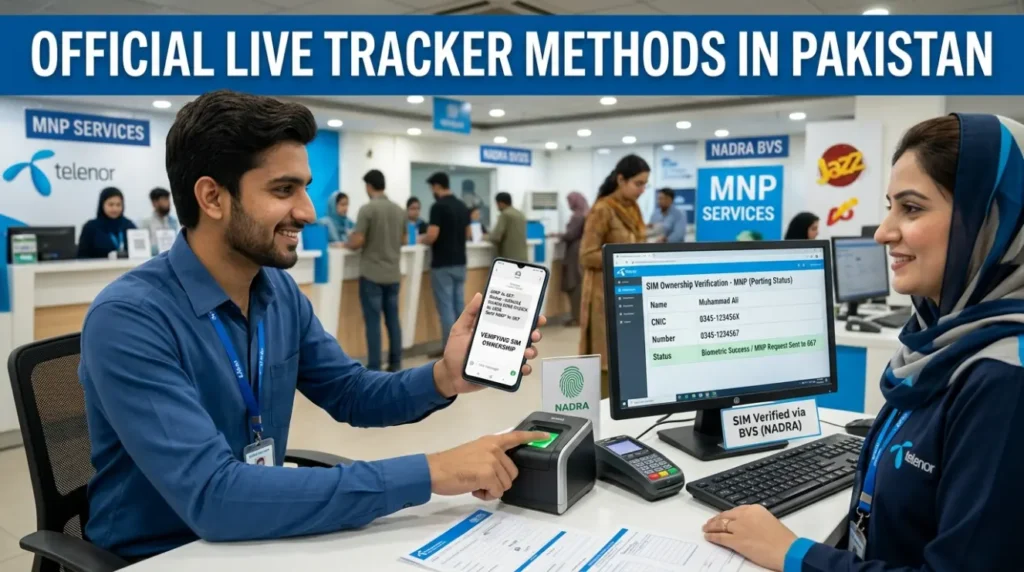
Official Live Tracker Methods in Pakistan
If you want accurate SIM checks in Pakistan, use official methods first. They are safer, more reliable, and easier to defend in front of Google and users. They also help you avoid shady “live tracker” claims that mix identity data with fake location promises.
PTA 668 SMS method
The 668 SMS method is the fastest way to check how many SIMs are linked to your CNIC.
Exact steps
- Open the Messages app on any phone.
- Type your 13-digit CNIC number without dashes.
- Send it to 668.
- Wait for the reply SMS.
What the result means
The reply shows the total SIM count registered on your CNIC. It usually breaks the result down by operator, such as Jazz, Zong, Telenor, Ufone, and SCOM.
A result like this is normal:
- Jazz: 1
- Zong: 1
- Telenor: 0
- Ufone: 1
- SCOM: 0
If the count is higher than expected, treat it as a warning sign. An unknown SIM may be linked to your CNIC.
When to use 668
Use 668 when you want to:
- run a monthly CNIC SIM audit
- check if an unknown SIM is linked to your ID
- verify SIM counts before visiting a franchise
- review your telecom records after fraud, harassment, or a lost CNIC issue
Limitations of 668
668 is useful, but it has limits.
It does not show every mobile number on the CNIC in the SMS reply. It does not reveal another person’s private records. It also does not track phone location.
667 / MNP SIM verification
The 667 method helps verify the SIM that is physically inside your phone. It is tied to Mobile Number Portability (MNP) and SIM verification workflows.
Exact steps
- Insert the SIM you want to verify into your phone.
- Open the Messages app.
- Type MNP in capital letters.
- Send it to 667.
- Read the reply SMS.
What 667 can reveal
Depending on the operator workflow, the reply may show:
- the registered owner name
- a masked CNIC
- the current network/operator
- basic SIM verification context
This makes 667 useful when you want to confirm the SIM in your hand before you use it for banking, resale, or account recovery.
Limits of 667
667 is not a public search engine for any random number. It works best for the SIM in your own phone. It also does not provide live Tracker GPS tracking, call history, or open access to private telecom records.
Best use cases for 667
Use 667 when you want to:
- verify a SIM before using it
- confirm a SIM’s owner context before resale
- check the network after MNP portability
- confirm a SIM record before visiting a franchise
cnic.sims.pk portal
The cnic.sims.pk portal is the online SIM Information System. It gives you a CNIC-based SIM audit through a browser.
Exact steps
- Open cnic.sims.pk in your browser.
- Enter your 13-digit CNIC number.
- Complete the CAPTCHA.
- Click Submit.
- Review the SIM count shown on the screen.
What the portal shows
The portal shows the total number of SIMs linked to your CNIC and the operator-wise breakdown. It is one of the cleanest ways to review your SIM record before a complaint or franchise visit.
Suggested screenshot flow
If you want to add screenshots to the page, use this order:
Screenshot 1 — CNIC entry page
Show the CNIC field and CAPTCHA on cnic.sims.pk.
Screenshot 2 — SIM count result
Show the result screen with the operator-wise SIM count.
Screenshot 3 — next action box
Show a short note below the result:
- Count matches your record → no action needed
- Count looks wrong → contact the operator or visit a franchise
Printing records
If you plan to visit a franchise, save a screenshot or print the result page. That gives you a clean reference during the complaint process.
Dispute use cases
Use cnic.sims.pk when:
- your 668 result looks suspicious
- you want to confirm the operator before filing a complaint
- you need proof before requesting SIM disowning
- you want a second check after the operator says the issue is resolved
Jazz, Zong, Telenor, Ufone, and SCOM verification options
The best route can change by operator. Some problems need an app. Others need a helpline or franchise visit. Below is the simplest network-by-network path.
Jazz SIM owner details
Use 668 for CNIC SIM count. Use 667 if the Jazz SIM is in your phone. If the count looks wrong, open the Jazz app or contact Jazz support. Visit a Jazz franchise for ownership correction, biometric issues, or SIM disowning.
Best use cases
- checking Jazz SIM count on your CNIC
- verifying a Jazz SIM in your phone
- fixing a disputed Jazz SIM record
Zong SIM owner details
Start with 668 for the CNIC-wide SIM count. Use 667 if the Zong SIM is in your phone. If a mismatch appears, contact Zong support or visit a Zong customer service center for verification and complaint handling.
Best use cases
- checking Zong-linked SIM count
- confirming Zong SIM ownership context
- resolving unauthorized Zong SIM issues
Telenor SIM owner details
Use 668 for the first CNIC check. Use 667 for SIM-in-hand verification. If the SIM needs re-verification or the record looks wrong, contact Telenor support and prepare for a franchise visit.
Best use cases
- monthly Telenor SIM audit
- ownership verification before SIM reuse
- biometric or registration correction
Ufone SIM owner details
Start with 668 to see whether a Ufone SIM appears on your CNIC. Use 667 if the SIM is inside your phone. If the issue is serious, use Ufone support and visit a Ufone franchise for record correction.
Best use cases
- checking Ufone SIMs on your CNIC
- verifying a Ufone SIM before resale
- reporting an unknown Ufone SIM
SCOM SIM verification
Use 668 first to see whether an SCOM SIM appears in your operator-wise count. If you need deeper verification, contact SCOM support directly because service options can differ from the four national operators.
Best use cases
- checking SCOM-linked SIM count
- confirming whether an SCOM SIM appears on your CNIC
- resolving operator-specific verification issues in supported regions
Which official method should you use first?
Use this simple rule:
- Want all SIMs on your CNIC? → use 668 or cnic.sims.pk
- Want to verify the SIM in your own phone? → use 667
- Need to fix a wrong record? → contact the operator and visit the franchise
- Need live location of your own phone? → use Google Find My Device or Apple Find My
That keeps the process simple and keeps your page aligned with trust, legality, and official telecom workflows.


Live Tracker for Each Pakistan Mobile Network
If you want to use a Live Tracker in Pakistan, the best method depends on your network. Some checks work through 668 or 667 across all networks. Others are better handled through the operator’s app, helpline, or franchise.
The safest rule is simple:
- use 668 to check all SIMs on your CNIC
- use 667 to verify the SIM in your own phone
- use the operator franchise for ownership disputes, biometric issues, or SIM disowning
Below is the cleanest network-by-network breakdown.
Jazz SIM owner details
Jazz is Pakistan’s largest mobile network. It includes many older Mobilink and Warid numbers after the merger. Common Jazz prefixes include 0300, 0301, 0302, 0303, 0304, 0305, 0306, 0307, 0308, and 0309.
Best official way to verify a Jazz SIM
If you want to verify a Jazz SIM in your phone, start with MNP to 667.
If you want to check all Jazz SIMs linked to your CNIC, use 668 or cnic.sims.pk.
A simple Jazz verification flow looks like this:
- Insert the Jazz SIM into your phone.
- Send MNP to 667.
- Read the SIM verification reply.
- Then send your CNIC to 668 if you also want the full CNIC audit.
Jazz app, helpline, and franchise route
If the result looks wrong, move to Jazz support.
Use the Jazz app or Jazz helpline when:
- you need basic account help
- you want guidance before visiting a branch
- your SIM is active but the record looks unclear
Visit a Jazz franchise or experience center when:
- an unknown Jazz SIM appears on your CNIC
- you need SIM disowning
- you want ownership transfer
- biometric verification fails
- the SIM is blocked or disputed
Zong SIM owner details
Zong is one of Pakistan’s major 4G-focused operators. Common Zong prefixes usually include 0310, 0311, 0312, 0313, 0314, 0315, and 0316.
Best official way to verify a Zong SIM
For a Zong SIM in your own phone, start with MNP to 667.
For a CNIC-wide SIM audit, use 668 or cnic.sims.pk.
If your goal is to confirm whether a Zong SIM sits on your CNIC, this is the safest route:
- Send MNP to 667 from the Zong SIM in your phone.
- Check the reply for SIM registration context.
- Send your CNIC to 668 to see the operator-wise SIM count.
- Match the Zong count with your own record.
Zong app, helpline, and franchise route
Use Zong support first if:
- you need help understanding a SIM status issue
- you want to confirm the next complaint step
- you are unsure whether a franchise visit is necessary
Visit a Zong service center or franchise when:
- an unknown Zong SIM appears on your CNIC
- you need biometric re-verification
- the SIM is blocked, disputed, or mismatched
- you want ownership correction or SIM disowning
Telenor SIM owner details
Telenor Pakistan has a large nationwide subscriber base and many long-running numbers tied to banking, OTP, and family use. Common Telenor prefixes often include 0340, 0341, 0342, 0343, 0344, 0345, 0346, and 0347.
Best official way to verify a Telenor SIM
If the Telenor SIM is in your phone, use MNP to 667 first.
If you want to know how many Telenor SIMs are linked to your CNIC, use 668 or cnic.sims.pk.
A practical Telenor check looks like this:
- Insert the Telenor SIM into your phone.
- Send MNP to 667.
- Review the reply.
- Then run a 668 CNIC audit if you want the full picture.
Telenor app, helpline, and franchise route
Use Telenor support or the app when:
- you need general SIM guidance
- you want to check the next step before visiting a center
- you suspect a registration mismatch but need confirmation
Visit a Telenor franchise or customer center when:
- unknown Telenor SIMs appear on your CNIC
- your SIM needs biometric re-verification
- you want to revoke or disown an unauthorized SIM
- the record does not match after SMS and portal checks
Ufone SIM owner details
Ufone remains a widely used network in Pakistan, especially for voice use, family SIMs, and long-held numbers. Common Ufone prefixes often include 0330, 0331, 0332, 0333, 0334, 0335, 0336, and 0337.
Best official way to verify a Ufone SIM
For a Ufone SIM in your own phone, start with MNP to 667.
For a CNIC-wide audit, use 668 or cnic.sims.pk.
Use this flow:
- Put the Ufone SIM in your phone.
- Send MNP to 667.
- Read the SIM verification reply.
- Use 668 if you also want to check all Ufone-linked SIMs on your CNIC.
Ufone app, helpline, and franchise route
Use Ufone support when:
- you need help understanding the result
- your SIM works but the ownership record seems unclear
- you want the nearest service center for a dispute
Visit a Ufone franchise when:
- you find an unknown Ufone SIM on your CNIC
- biometric re-verification is required
- you want SIM ownership correction
- the SIM is blocked or under complaint review
SCOM / SCO SIM verification
SCOM works differently from the four major national operators because its coverage and service patterns are more regional. It is commonly used in AJK and Gilgit-Baltistan. Common SCOM prefixes usually include 0355.
Best official way to verify an SCOM SIM
If you want to know whether an SCOM SIM is linked to your CNIC, the best first step is still 668 or cnic.sims.pk. That gives you the operator-wise SIM count across networks.
If the issue is SCOM-specific, contact SCOM support directly because the workflow may differ from Jazz, Zong, Telenor, or Ufone.
When to contact SCOM support or visit a service center
Contact SCOM support when:
- the SCOM SIM stops working
- you need network-specific guidance
- the SIM does not appear where you expect it
- you want to know the correct service point for verification
Visit the relevant service center or authorized support point when:
- biometric re-verification is required
- an SCOM SIM appears on your CNIC without your approval
- you need record correction or complaint handling
- support tells you the issue cannot be solved remotely
Which network method should you use first?
Use this simple rule for every operator:
- Need to verify the SIM in your own phone? → send MNP to 667
- Need to check all SIMs on your CNIC? → send your CNIC to 668
- Need a browser-based SIM audit? → use cnic.sims.pk
- Need ownership correction, disowning, or biometric help? → visit the operator franchise
This keeps the process simple, legal, and aligned with official telecom workflows in Pakistan.
How to Check If a SIM Is Registered on Your CNIC
If you want to know whether a SIM is registered on your CNIC, use an official method first. In Pakistan, the safest route is simple: start with 668, confirm with cnic.sims.pk, and contact the operator if anything looks wrong.This check matters because an unknown SIM on your CNIC can create fraud, spam, or legal problems later. A quick audit helps you catch those issues early.
Using 668
The 668 method is the fastest way to check how many SIMs are linked to your CNIC.
Steps to use 668
- Open the Messages app on your phone.
- Type your 13-digit CNIC number without dashes.
- Send it to 668.
- Wait for the reply SMS.
What 668 shows
The reply shows the total number of SIMs registered on your CNIC. It usually breaks the result down by operator, such as:
- Jazz
- Zong
- Telenor
- Ufone
- SCOM
This is a count check, not a full record view. It helps you see whether the number of SIMs on your CNIC matches your own record.
When to use 668
Use 668 when you want to:
- run a quick monthly CNIC SIM audit
- check for unauthorized SIMs
- confirm your SIM count before visiting a franchise
- review your record after a lost CNIC, fraud alert, or resale issue
Using cnic.sims.pk
If you want a cleaner online check, use cnic.sims.pk. This is the official SIM Information System for CNIC-linked SIM records.
Steps to use cnic.sims.pk
- Open cnic.sims.pk in your browser.
- Enter your 13-digit CNIC number.
- Complete the CAPTCHA.
- Click Submit.
- Review the result on the screen.
What the portal shows
The portal shows the SIM count linked to your CNIC with an operator-wise breakdown. It is useful when you want a browser-based record before a complaint or franchise visit.
Use it when:
- your 668 result looks suspicious
- you want a second check before filing a complaint
- you need a screenshot or printout for operator support
- you want to confirm which operator shows the extra SIM count
Using operator support
If the count looks wrong, the next step is operator support.
Start with the operator that shows the unexpected SIM count. Call the helpline or visit the app if the issue is simple. If the issue looks serious, go straight to the official franchise or customer service center.
Use operator support when:
- the SIM count does not match your own record
- a SIM appears under the wrong network
- you need help understanding the result
- you want to know whether a franchise visit is necessary
Visit the franchise when:
- an unknown SIM appears on your CNIC
- you need SIM disowning
- the SIM needs biometric re-verification
- the record is blocked, disputed, or mismatched
- support tells you the issue cannot be solved remotely
Take these items with you:
- your original CNIC
- screenshots of 668 or cnic.sims.pk results
- the SIM, if it is in your possession
- any complaint reference number from the helpline
When the results do not match
Sometimes the result does not make sense at first. That does not always mean fraud. It can happen for a few different reasons.
1) Portability issues
Pakistan supports Mobile Number Portability (MNP). A number can move from one network to another without changing the digits. That can create confusion if you are trying to match a number to an old operator record.
This is why prefixes alone are not enough. A number that started on one network may now sit on another.
2) Inactive numbers
Some SIMs stay in the system for a while even if you stopped using them. That can happen if the number has not fully cleared from the operator’s active record yet.
3) Old deactivated records
A SIM that was deactivated in the past may still show up during a transition period. This is more likely if the number was blocked, replaced, or disputed recently.
4) Operator sync delays
The 668 reply and the cnic.sims.pk portal both depend on operator records syncing properly. In some cases, a recent SIM closure, replacement, or ownership update may take time to reflect everywhere.
5) Re-verification issues
A SIM can also trigger problems if it needs biometric re-verification or if the CNIC record does not match the operator’s current file.
What to do if the count still looks wrong
If the result still looks wrong after checking twice, act quickly.
- Take screenshots of the result.
- Note the operator showing the mismatch.
- Call the operator helpline and explain the issue.
- Visit the franchise if the operator asks for biometric or record verification.
- Ask for SIM disowning if a number does not belong to you.
- Keep the complaint reference number.
- Check 668 or cnic.sims.pk again after the operator resolves the case.
A quick follow-up check confirms that the wrong SIM is no longer linked to your CNIC.
How to Remove / Disown an Unauthorized SIM in Pakistan
If an unknown SIM appears on your CNIC, do not ignore it. A SIM registered in your name can create fraud, spam, banking, or legal problems later. The safest move is to verify the issue fast, contact the right operator, and request SIM disowning through the official process.
Signs a SIM may be registered without your permission
An unauthorized SIM does not always announce itself clearly. Sometimes the warning signs are small at first.
Count mismatch on 668 or cnic.sims.pk
This is the most common sign. You run a CNIC SIM check and the count is higher than expected. If you know you use only two SIMs but the result shows four, that is a red flag.
Unknown operator count
Sometimes the mismatch appears under an operator you do not use. For example, you may use Jazz and Zong, but the result shows an extra SIM under Ufone or Telenor. That needs attention.
Suspicious calls, OTP issues, or banking alerts
Unexpected verification calls, strange banking messages, or complaints linked to a number you do not recognize can also be warning signs. They do not always prove an unauthorized SIM, but they are worth checking.
Failed biometric check or record mismatch
If an operator tells you the CNIC record does not match, or a biometric re-verification fails for a number you do not recognize, that can point to a record problem or an unauthorized SIM.
Step-by-step unauthorized SIM removal process
If you suspect an unauthorized SIM, follow a simple order. This keeps your complaint clear and makes the operator’s job easier.
Step 1 — Verify through 668
Start with the fastest CNIC check.
- Open your Messages app.
- Type your 13-digit CNIC number without dashes.
- Send it to 668.
- Review the operator-wise SIM count.
If the count is higher than expected, note which operator shows the extra SIM.
Step 2 — Verify through cnic.sims.pk
Now run the online check for a second confirmation.
- Open cnic.sims.pk in your browser.
- Enter your 13-digit CNIC number.
- Complete the CAPTCHA.
- Click Submit.
- Review the operator-wise SIM result.
This gives you a cleaner record before you contact the operator.
Step 3 — Contact the operator
Once you know which network shows the extra SIM, contact that operator first.
Tell them clearly:
- an unknown SIM appears on my CNIC
- I want SIM record verification
- I may need SIM disowning
Ask the helpline what the next step is and whether a franchise visit is required. Also ask for a complaint reference number if they register the issue.
Step 4 — Visit the franchise with your CNIC
If the issue is real, the operator will usually ask you to visit the official franchise or service center.
Take these items with you:
- your original CNIC
- screenshots or printouts of 668 and cnic.sims.pk results
- the complaint reference number, if you already have one
- the SIM, if it is in your possession and linked to the complaint
At the franchise, ask for:
- SIM record verification
- unauthorized SIM complaint
- SIM disowning request
- biometric record check, if needed
Step 5 — Submit a complaint if needed
If the franchise confirms that the SIM does not belong to you, ask them to process the SIM disowning or complaint request immediately.
Write down:
- the complaint number
- the date
- the operator name
- the franchise location
This helps if you need to follow up later.
Step 6 — Recheck after processing
Do not stop after filing the complaint. Run another 668 or cnic.sims.pk check after the operator says the issue is resolved.
This final step matters because it confirms that the unauthorized SIM is no longer linked to your CNIC.
What documents you need
Keep the file simple. Most SIM disowning cases need only a few things.
Original CNIC
Take your original CNIC. A copy may not be enough for verification or complaint handling.
Screenshots or printouts of your SIM check
Take a screenshot or printout of:
- the 668 result
- the cnic.sims.pk result
This gives the operator a clear starting point.
Complaint reference number, if applicable
If you already called the helpline, keep the complaint reference number with you. It saves time at the franchise and helps the staff find your case faster.
How long SIM disowning can take
The timing can vary by operator and by case. Some issues move quickly. Others need manual verification.
What to expect
A simple record check may move fast, especially if the operator can confirm the mismatch quickly. But if the case involves an old number, a blocked record, or a biometric dispute, it may take longer.
The safest expectation is this:
- basic complaint registration can happen the same day
- record verification and disowning may take longer depending on the operator’s process
- follow-up checks may still be needed after the first update
When to escalate
Do not wait forever if nothing changes.
Follow up if:
- the operator gives no clear update
- the SIM still appears after the promised resolution
- the complaint stays open without action
- you receive more suspicious calls or account issues linked to the case
When you escalate, keep your complaint number, screenshots, and visit dates ready. That makes the follow-up easier and shows that you already completed the first steps.
Live Tracker vs Official PTA SIM Information System
The term Live Tracker is broad. It can mean SIM checks, CNIC audits, number verification, or even device tracking. The PTA SIM Information System is much narrower. It is built for official CNIC-linked SIM verification, not for public phone tracking.That distinction matters because many users search “live tracker” when they really want to know how many SIMs are linked to their CNIC, whether a SIM is unauthorized, or which official tool they should trust.
Quick comparison: Live Tracker vs PTA SIM Information System
| Feature | Live Tracker page / tool | PTA SIM Information System |
|---|---|---|
| CNIC SIM audit | Yes. This page guides you to the right method. | Yes. It is built for CNIC-linked SIM checks. |
| Official SIM count | Yes, but only through official methods like 668 and cnic.sims.pk. | Yes. This is one of its core functions. |
| Operator-wise SIM view | Yes, through official PTA or operator routes. | Yes. It shows the operator-wise SIM count linked to your CNIC. |
| Real-time device location | Only for your own device through Google Find My Device or Apple Find My. | No. PTA’s SIM system is not a live location tool. |
| Third-party owner data claims | Should be treated carefully. This guide explains the limits and risks. | No. The PTA system is not built to expose public third-party owner details. |
What a Live Tracker page does
A Live Tracker page like this one acts as a guide layer. It helps users understand which method to use for which problem.
For example, this page can help you:
- check SIM owner details for a SIM in your own phone
- audit all SIMs linked to your CNIC
- verify whether an unknown SIM is registered on your ID
- understand the difference between number lookup, CNIC verification, and device tracking
- avoid risky third-party “owner detail” or “live Tracker GPS by number” claims
In simple words, the Live Tracker page is the roadmap. It points you to the right official tool.
What the PTA SIM Information System does
The PTA SIM Information System has a much narrower role. It focuses on SIMs linked to your CNIC.
Its main job is to help you:
- check how many SIMs are registered on your CNIC
- see the operator-wise SIM count
- confirm whether the count matches your own record
- spot unknown or unauthorized SIMs
- prepare for a complaint, disowning request, or franchise visit
It is not designed to:
- track another person’s live Tracker location
- reveal someone’s full personal record
- show call history
- act as a public surveillance tool
The easiest way to understand the difference
Think of it like this:
- Live Tracker = a broad help guide or search term that covers SIM checks, CNIC verification, and device-location topics
- PTA SIM Information System = the official SIM audit system for CNIC-linked mobile records
So if your goal is “How many SIMs are on my CNIC?”, the PTA system is the answer.
If your goal is “Which method should I use for SIM owner details, CNIC verification, or number checking?”, a Live Tracker guide like this page helps you choose the right path.
When to use each one
Use the PTA SIM Information System when you want to:
- check your CNIC-linked SIM count
- confirm the operator-wise breakdown
- verify whether an unknown SIM appears on your record
- gather proof before visiting a franchise or filing a complaint
Use this Live Tracker guide when you want to:
- understand the safest method before taking action
- compare 668, 667, cnic.sims.pk, and operator support
- learn what is legal, official, and realistic in Pakistan
- separate official verification from unofficial database claims
- know when to use Google Find My Device or Apple Find My for your own phone
Why this difference matters for trust
A lot of confusion in Pakistan search results comes from pages that mix SIM verification, owner-detail lookup, and live location tracking as if they are the same thing. They are not.
Keeping these topics separate helps in three ways:
- Users get the right answer faster
- Google sees a cleaner entity structure
- Your page stays aligned with privacy, legality, and EEAT
That is why this guide treats Live Tracker as a broad help topic, while the PTA SIM Information System remains the official CNIC SIM verification route.
Common Use Cases of Live Tracker in Pakistan
People search Live Tracker for many different reasons. Some want to check a suspicious number. Others want to verify SIMs on their CNIC, track a lost phone, or confirm a used SIM before buying a device.
The key is to use the right method for the right problem. A SIM audit, a SIM owner check, and a lost-phone location search are not the same thing.
Unknown missed call
An unknown missed call is one of the most common reasons people search for a live tracker or number checker.
What users usually want to know
Most users want to answer one of these questions:
- Is this number linked to Jazz, Zong, Telenor, Ufone, or SCOM?
- Is the call from a real contact, delivery rider, bank, or business?
- Does the number look suspicious or unfamiliar?
Best official method
Use a safe number-check workflow, not a fake live location promise.
Start with:
- checking whether you recognize the number
- checking the likely network context
- using 667 only if the SIM is in your own phone and you want to verify that SIM
- using operator support if the issue becomes serious
What not to expect
A missed call does not mean you can publicly track someone’s live location. Official Pakistan SIM tools do not provide that.
Spam or harassment call
Spam calls, abusive calls, or fraud attempts need a more careful response.
Best official method
Use this order:
- Do not call back blindly
- Take screenshots of calls, SMS, or WhatsApp messages
- Check your own CNIC SIM record through 668 or cnic.sims.pk
- Contact the operator if you suspect SIM misuse or repeat harassment
- Keep the complaint reference number if the operator registers a case
Why this matters
A spam call can sometimes overlap with SIM misuse, fake banking calls, or identity fraud. A quick CNIC audit helps you rule out unauthorized SIM activity under your own name.
SIM fraud check
This is one of the strongest and most useful Live Tracker use cases in Pakistan.
Signs that suggest a SIM fraud check
Users usually run a SIM fraud check when:
- the 668 count looks higher than expected
- an unknown operator appears on their CNIC
- a bank, app, or service flags a number issue
- an old number suddenly becomes active again in a suspicious way
Best official method
Use this full sequence:
- Send your CNIC to 668
- Recheck through cnic.sims.pk
- identify the operator showing the mismatch
- call the operator helpline
- visit the official franchise if the issue is real
- request SIM disowning if needed
This is the safest route for unauthorized SIMs.
Used phone purchase
A used phone can create two different risks:
- the device may have a problem
- the SIM inside it may not belong to the seller
What to check before you buy
Before buying a used phone, ask these questions:
- Is the SIM inside the phone actually registered to the seller?
- Is the seller asking you to keep using an old SIM?
- Does the phone need a fresh SIM and fresh biometric verification?
Best official method
If the seller is offering a SIM with the phone, do not trust verbal claims alone.
Use:
- 667 / MNP to verify the SIM if it is in the phone
- 668 to confirm your own CNIC record after you activate any new SIM
- the operator franchise for ownership transfer or fresh SIM verification
Safe buying rule
If a used phone comes with a SIM, treat the SIM and the phone as two separate checks.
Lost phone or family device
This is where many people confuse SIM tracking with device tracking. They are not the same thing.
Best official method
If the phone belongs to you or to a family member with consent, use:
- Google Find My Device for Android
- Apple Find My for iPhone, iPad, and other Apple devices
These tools are designed for:
- a lost phone
- a family device
- a child’s phone with family approval
- a work device you manage
What official SIM tools cannot do
668, 667, and cnic.sims.pk do not show the live Tracker map location of a lost phone. They help with SIM verification, not live device tracking.
Monthly CNIC SIM audit
This is one of the best habits for mobile security in Pakistan.
Why a monthly SIM audit matters
A quick monthly check helps you catch:
- unauthorized SIMs
- old records that still appear under your CNIC
- operator mismatches
- issues before they affect banking, OTPs, or complaints
Best official method
Use this simple monthly routine:
- Send your CNIC to 668
- open cnic.sims.pk if the count looks unusual
- save the result if you need to compare it later
- contact the operator if a new mismatch appears
A monthly audit takes only a few minutes and can prevent bigger problems later.
Business fleet or employee SIM management
Businesses often manage multiple SIMs for drivers, sales staff, support teams, field agents, or company devices. That creates a different kind of tracking need.
What businesses usually need
A company may want to:
- track how many official SIMs are active
- make sure SIMs are registered under the correct record
- recover lost employee phones
- separate SIM ownership checks from device-location tools
Best official method
For business use, split the workflow into SIM management and device management.
For SIM management
Use:
- operator support
- franchise verification
- internal SIM inventory records
- regular CNIC / business record audits, where applicable
For device location
Use:
- Google Find My Device
- Apple Find My
- company-approved device management tools for employee devices
Important business rule
Do not treat SIM verification and device tracking as the same task.
A SIM audit tells you who the SIM belongs to. A device-location tool helps you find where the device is.
Quick use-case map
Here is the easiest way to match the problem with the right method:
| Use case | Best official method |
|---|---|
| Unknown missed call | Check network context, stay cautious, use operator support if needed |
| Spam or harassment call | Save evidence, run 668 / cnic.sims.pk, contact the operator |
| SIM fraud check | Use 668, cnic.sims.pk, then operator support and franchise |
| Used phone purchase | Verify the SIM with 667, then confirm records through official operator routes |
| Lost phone or family device | Use Google Find My Device or Apple Find My |
| Monthly CNIC SIM audit | Use 668 first, then cnic.sims.pk if needed |
| Business fleet / employee SIM management | Use operator verification for SIMs and device-location tools for phones |
The core rule behind every use case
A Live Tracker is not one single tool. In Pakistan, it usually means choosing the right official route for the job:
- 668 for CNIC SIM count
- cnic.sims.pk for online SIM audit
- 667 for the SIM in your own phone
- operator support / franchise for disputes and disowning
- Google Find My Device / Apple Find My for your own phone location
That one rule keeps the process simple, legal, and far more reliable.
Is Live Tracker Legal in Pakistan?
Yes, some Live Tracker use cases are legal in Pakistan. Others are risky, privacy-invasive, or clearly outside lawful use. The key question is simple: are you verifying your own record or trying to access someone else’s private data without permission?In Pakistan, the safest line is to use official SIM verification tools for your own CNIC and your own SIM, and to use Google Find My Device or Apple Find My only for devices you own or manage with consent.
Legal use cases
These use cases are generally the safer and more compliant side of a Live Tracker workflow.
Checking your own CNIC SIM records
If you use 668 or cnic.sims.pk to check how many SIMs are linked to your own CNIC, that falls inside a legitimate self-verification use case.
This is one of the most important legal uses because it helps you:
- detect unauthorized SIMs
- verify operator-wise SIM count
- protect your identity from SIM misuse
- prepare for a complaint or SIM disowning request
Checking your own SIM
If the SIM is physically in your own phone, using MNP to 667 to verify its registration context is a reasonable self-check. The purpose here is to confirm whether the SIM you are using is properly linked, active, and expected.
Verifying your own number status
It is also reasonable to verify the status of your own number through official operator support, the operator app, or a franchise visit when you need help with ownership, activation, portability, or biometric issues.
Tracking your own phone with consent and account access
If you use Google Find My Device or Apple Find My to locate your own phone, that is a different category from SIM lookup. It is a device-location use case tied to your account access and your own device.
The same principle applies to:
- a family device with permission
- a child’s device under family management
- a company device managed under company policy and consent
Complaint and dispute workflows
If an unknown SIM appears on your CNIC, using 668, cnic.sims.pk, operator support, and a franchise complaint route is a lawful and practical response. The goal is to correct your own record, not to access private data that does not belong to you.
Risky or non-compliant use cases
Some “Live Tracker” claims cross privacy, legal, or ethical lines very quickly.
Trying to retrieve another person’s private data
Trying to pull another person’s full CNIC, address, or private SIM record without authorization is not the same as checking your own record. That kind of access can cross privacy and misuse boundaries.
A public information guide should not present that as a normal or safe use case.
Using leaked databases or unverified data dumps
Some third-party sites claim to show owner details, CNIC links, or private mobile records. If the source is unclear, leaked, outdated, or unauthorized, using it is risky.
It can create:
- privacy problems
- inaccurate results
- fraud exposure
- identity misuse
- legal risk if the data was obtained or shared unlawfully
Stalking or non-consensual location tracking
Trying to track another person’s live location without consent is a serious red flag. Public SIM tools in Pakistan are not designed for that purpose.
If a site promises:
- “track any number live”
- “see someone’s exact GPS from mobile number only”
- “follow anyone without app access or consent”
treat that claim as unsafe and unreliable.
Impersonation or fraud
Using another person’s identity details, SIM record, or verification data to impersonate them, bypass a complaint system, or support fraud is not a valid Live Tracker use case.
That includes:
- fake SIM ownership claims
- using someone else’s CNIC details without permission
- misleading an operator to gain access to a record
- trying to hijack a number through social engineering or SIM-swap style abuse
Privacy and ethical use statement
A page like this should stay very clear about privacy and intent.
Personal data should be handled carefully
SIM records, CNIC-linked data, and identity details are sensitive. Users should avoid sharing screenshots, CNIC numbers, or complaint details on random sites, social media, or unverified forms.
The safest habit is simple:
- use official portals
- verify the domain before entering personal data
- contact the operator or franchise when the issue is serious
Do not claim official affiliation unless it is true
If a page is an informational guide, it should say so clearly. It should not present itself as PTA, NADRA, Jazz, Zong, Telenor, Ufone, or SCOM unless it is actually operated by those entities.
That matters because users often confuse a guide page with an official verification portal.
Informational guide only
This page should be treated as an informational guide to official methods, not as a government verification system.
Its job is to help users:
- understand what Live Tracker means in Pakistan
- choose the right official route
- separate legal self-verification from risky third-party claims
- protect their CNIC, SIM records, and phone number from misuse
The safest legal rule to remember
Use Live Tracker methods for:
- your own CNIC
- your own SIM
- your own phone
- your own complaint or fraud case
Do not use it to chase private records, stalk another person, or rely on leaked databases. That one rule keeps the topic aligned with privacy, legality, and trust.
Security Tips for Safe SIM Tracking and CNIC Protection
A Live Tracker is only useful when you use it safely. In Pakistan, SIM checks and CNIC verification touch sensitive identity data. That means a small mistake can create bigger problems later, especially if your CNIC, SIM record, or phone number falls into the wrong hands.
The good news is simple: a few smart habits can reduce that risk a lot.
Check SIMs on your CNIC monthly
A monthly CNIC SIM audit is one of the easiest mobile-security habits in Pakistan.
Use 668 or cnic.sims.pk once every month to check how many SIMs are linked to your CNIC. This helps you catch:
- unauthorized SIMs
- old numbers still tied to your CNIC
- operator mismatches
- suspicious record changes before they affect banking or OTPs
Even a quick monthly check can save you from a much bigger problem later.
Never share CNIC photos casually
Your CNIC is sensitive identity data. Do not share clear CNIC photos, CNIC screenshots, or front-and-back card images casually on:
- WhatsApp groups
- random websites
- resale chats
- social media inboxes
- unknown forms or “verification” pages
If you must share a CNIC copy for a valid purpose, make sure the recipient is official and the reason is clear. If possible, avoid sending a full high-quality image unless it is truly required.
Use official operator channels
When the issue involves SIM ownership, CNIC-linked SIMs, biometric verification, or SIM disowning, use official channels first.
That means:
- 668 for SIM count on your CNIC
- cnic.sims.pk for online SIM audit
- 667 / MNP for the SIM in your own phone
- the operator helpline
- the official franchise or service center
Official channels are not perfect, but they are still far safer than unknown third-party sites asking for personal data.
Avoid suspicious SIM-owner lookup sites
Be careful with websites that promise things like:
- “full SIM owner details by number”
- “live Tracker location by mobile number only”
- “free CNIC and address lookup”
- “track any SIM without permission”
These claims are a major red flag.
Some of these pages may use:
- outdated records
- unclear data sources
- misleading ads
- fake forms
- privacy-invasive lookup claims
If a site asks for your CNIC, mobile number, email, or payment without a clear official purpose, stop and verify the source first.
Keep screenshots of verification results
Whenever you run a CNIC SIM check, save the result.
Take screenshots of:
- the 668 reply
- the cnic.sims.pk result
- any operator complaint reference
- any error or mismatch message shown by the operator
This gives you a clean record if:
- an unauthorized SIM appears later
- the operator asks for proof
- the issue needs follow-up at the franchise
- the same mismatch returns again
A screenshot can save time during a complaint and helps you track whether the issue was actually fixed.
Report fraud immediately
If you notice a suspicious SIM, fake banking activity, harassment calls, or a CNIC mismatch, do not wait too long.
Take action fast:
- run 668 and cnic.sims.pk
- identify the operator showing the problem
- contact the operator helpline
- visit the official franchise if needed
- keep the complaint number and screenshots
- recheck your record after the case is processed
Fast reporting matters because SIM misuse can affect:
- banking OTPs
- mobile wallet access
- account recovery
- fraud complaints
- identity security
A simple safety routine to follow
If you want one easy rule, use this:
- check your CNIC SIM count every month
- share your CNIC only when necessary
- use official tools first
- save screenshots
- report mismatches quickly
That routine keeps your SIM record, CNIC, and mobile identity much safer.
Frequently Asked Questions About Live Tracker
What is Live Tracker in Pakistan?
In Pakistan, Live Tracker usually means a guide or tool used to check SIM owner details, audit SIMs linked to a CNIC, verify a number’s network context, or track your own phone through Google or Apple tools. It does not mean a public tool that can legally show anyone’s private live location.
How can I check SIM owner details online in Pakistan?
Start with official methods. If the SIM is in your own phone, send MNP to 667 to check its registration context. If you want to see how many SIMs are linked to your CNIC, use 668 or cnic.sims.pk. For full record disputes, visit the operator franchise.
How do I verify my CNIC online in Pakistan for SIM records?
Use cnic.sims.pk. Enter your 13-digit CNIC number, complete the CAPTCHA, and submit the form. The portal shows the operator-wise SIM count linked to your CNIC.
How can I track a mobile number in Pakistan?
That depends on what you mean by “track.” If you want to check SIM registration context, use official SIM methods like 667, 668, and cnic.sims.pk. If you want to track your own lost phone, use Google Find My Device or Apple Find My. Public PTA tools do not provide another person’s live location by number.
Is there an official PTA Live Tracker?
Not in the sense of a public “live Tracker GPS.” PTA provides official SIM verification and CNIC audit methods, such as 668 and the SIM Information System at cnic.sims.pk. Those tools help with SIM record checks, not live public phone tracking.
Can I check how many SIMs are on my CNIC?
Yes. Send your 13-digit CNIC number to 668 or check online through cnic.sims.pk. Both methods help you verify how many SIMs are registered on your CNIC.
How do I use 668 in Pakistan?
Open your Messages app, type your 13-digit CNIC number without dashes, and send it to 668. You will receive an SMS with the SIM count linked to your CNIC, usually broken down by operator.
What does 667 show?
667 is commonly used with MNP to verify the SIM in your own phone. It helps users check the registration or network context of the SIM they are using. It is not a public tool for pulling another person’s full private details.
Is PakData SIM Database official?
No. PakData SIM Database is usually a search term for third-party SIM or number lookup sites. It is not the same as the official PTA SIM Information System. Users should treat unofficial “owner detail” databases carefully because data quality, legality, and privacy practices may be unclear.
Can I see someone’s CNIC from their number?
Not through official public SIM tools. Official methods are designed for your own CNIC and your own SIM records. Be careful with sites that claim to reveal someone else’s full CNIC, address, or private identity data from a mobile number.
How do I block or remove an unauthorized SIM on my CNIC?
First, verify the mismatch through 668 and cnic.sims.pk. Then contact the operator showing the extra SIM, visit the official franchise, and request SIM disowning or unauthorized SIM removal. Recheck your record after the operator processes the case.
Can I track my lost phone with Live Tracker?
Yes, but use the correct tool. For a lost Android phone, use Google Find My Device. For an iPhone, use Apple Find My. PTA SIM tools like 668 and cnic.sims.pk do not show a live Tracker map location of your phone.
How do I verify Jazz SIM details?
Use MNP to 667 if the Jazz SIM is in your phone. Use 668 or cnic.sims.pk if you want to see how many Jazz SIMs are linked to your CNIC. For disputes, biometric issues, or unauthorized SIM complaints, visit a Jazz franchise.
How do I verify Zong SIM details?
Use 667 to verify the Zong SIM in your own phone and use 668 or cnic.sims.pk for a CNIC-wide SIM audit. If the result looks wrong, contact Zong support or visit the official franchise.
How do I verify Telenor SIM details?
If the Telenor SIM is in your phone, start with MNP to 667. If you want to check the total number of Telenor SIMs linked to your CNIC, use 668 or cnic.sims.pk. Visit the Telenor franchise for ownership disputes or SIM disowning.
How do I verify Ufone SIM details?
Use 667 for the Ufone SIM in your own phone and 668 or cnic.sims.pk for CNIC-linked SIM count checks. If you find a mismatch or unknown Ufone SIM, contact Ufone support or visit a Ufone franchise.
How do I verify SCOM SIM details?
Start with 668 or cnic.sims.pk to see whether an SCOM SIM appears on your CNIC record. If the issue is SCOM-specific, contact SCOM support or the relevant service center for record verification.
What should I do after receiving suspicious calls?
Do not call back blindly. Save the number, take screenshots if messages are involved, and run a CNIC SIM audit through 668 or cnic.sims.pk if you suspect SIM misuse. If the issue looks serious, contact the operator and keep the complaint reference number.
Is Live Tracker legal and safe in Pakistan?
It can be legal and safe if you use it for your own CNIC, your own SIM, your own phone, or your own complaint case. It becomes risky when someone tries to access another person’s private data, use leaked databases, or track someone without consent.
How do I know if a SIM is registered on my CNIC?
Use 668 for a quick SMS check and cnic.sims.pk for an online SIM audit. If the count looks wrong, contact the operator that shows the mismatch and ask for record verification.
What should I do if the SIM count on my CNIC is wrong?
Take screenshots of the result, identify the operator showing the mismatch, contact that operator’s helpline, and visit the franchise if needed. If the SIM does not belong to you, ask for SIM disowning and recheck the result later.
Can I check SIM owner details by mobile number only?
Official public tools in Pakistan do not work like open people-search engines. If the SIM is in your own phone, you may be able to verify its context through 667. For broader record checks, use your own CNIC with 668 or cnic.sims.pk.
Does 668 show the names of all SIM owners on my CNIC?
Treat 668 mainly as a SIM count and operator-wise audit method. For deeper record correction or complaint handling, use cnic.sims.pk, operator support, or the franchise route.
Can I track another person’s live location by mobile number?
Not through official public PTA tools. Be careful with websites that promise “live GPS by number only” or “track anyone instantly.” Those claims are often misleading, unsafe, or privacy-invasive.
How often should I check SIMs on my CNIC?
A monthly CNIC SIM audit is a smart habit. It helps you catch unauthorized SIMs, operator mismatches, and record issues before they become a fraud or banking problem.
What documents do I need to remove an unauthorized SIM?
Take your original CNIC, screenshots or printouts of 668 and cnic.sims.pk results, and any complaint reference number from the operator helpline. The operator franchise may ask for these during SIM disowning or record verification.
Can number prefixes still identify the operator correctly?
Not always. Prefixes can still give a clue, but Mobile Number Portability (MNP) means a number may move from one network to another. That is why operator prefixes alone are not enough for a final verification.
What is the safest way to use a Live Tracker page?
Use it as an informational guide, not as a shortcut to private data. Follow official routes like 668, 667, cnic.sims.pk, operator support, and Google Find My Device or Apple Find My for your own phone.